ReSocks
Relay your Socks5 over TLS with TUN & app routing
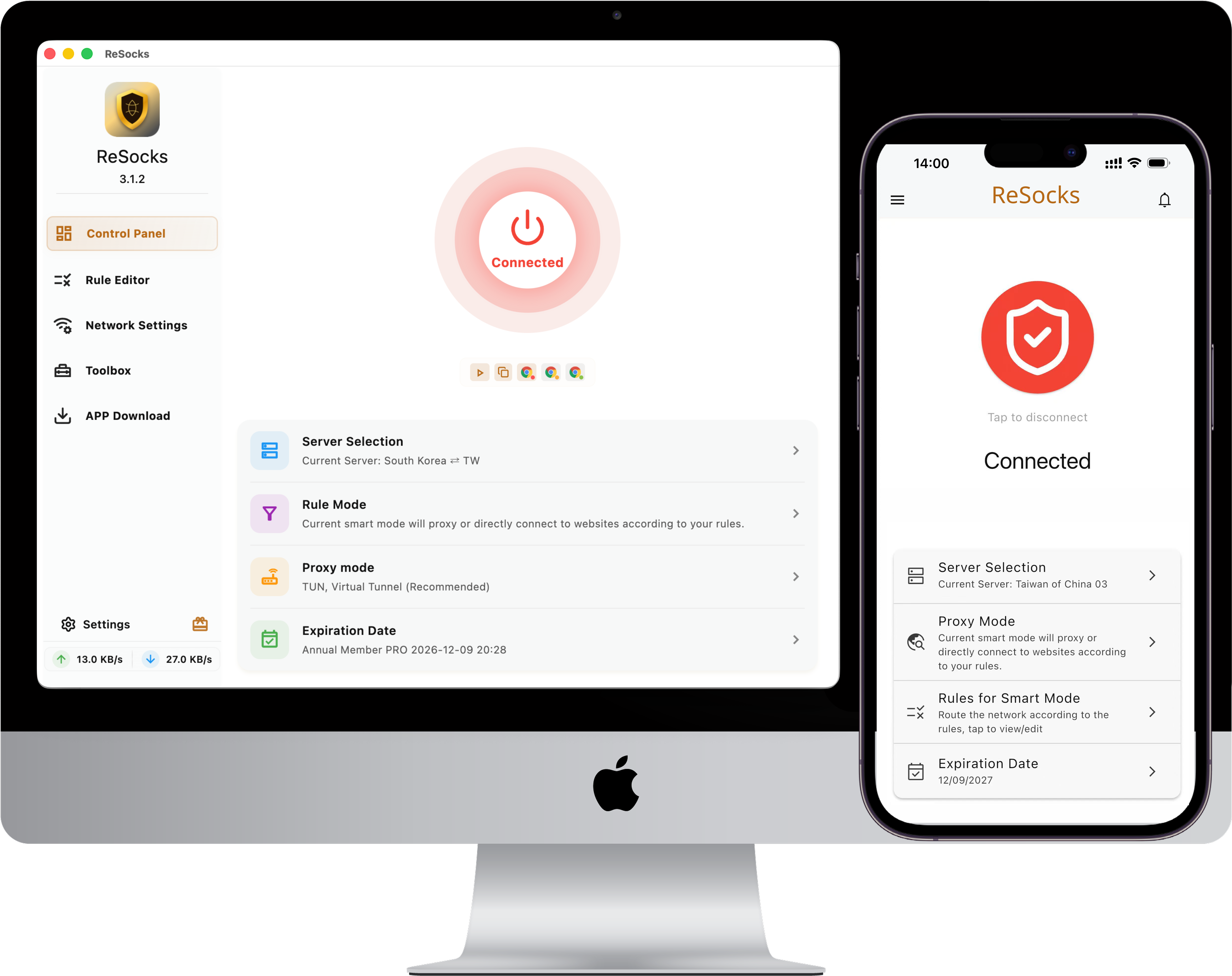
Bring your own SOCKS5 proxy and reach it through a TLS relay. Keep the exit you chose, and decide which apps and websites use it.
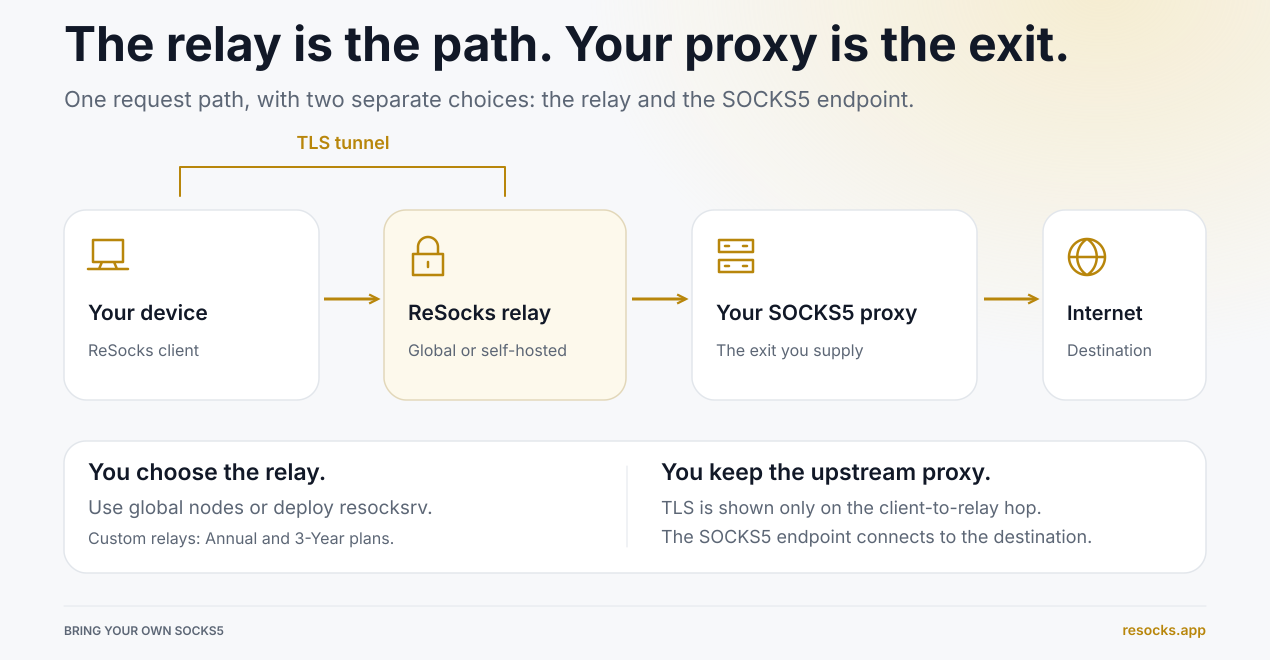
How it works
Case Studies
See how ReSocks solves real-world connection needs.
Route only Claude through a US residential IP, keep everything else direct
The Need
Your network isn't in the US, but you want the Claude desktop app to reach Claude's service through a US residential IP, while every other app keeps using your local network.
Setup Steps
- Get a US residential proxy. Purchase a SOCKS5-compatible US residential IP proxy from a third-party provider, and get the server address, port, and any required username/password.
- Add it to ReSocks. Add that SOCKS5 proxy to ReSocks, select it as your exit, and choose a relay node that can reach this proxy.
- Add Claude to the proxy list. In the app routing rules, add the Claude desktop app and set its connection policy to "Proxy".
- Set the default rule to Direct. Traffic that doesn't match any proxy rule uses your local network. To keep it "Claude only", make sure no other app or site rule is set to Proxy.
- Enable ReSocks. Choose TUN mode and connect, then relaunch Claude so it uses the new connection.
The Result
- Claude desktop app: Connects through the ReSocks relay to your US residential SOCKS5 proxy, reaching Claude's service via that proxy's US residential IP.
- Other apps: Match the default direct rule and keep using your local network.
This case applies to desktop platforms that support per-app routing, and targets the Claude desktop app; other apps such as Codex and ChatGPT can be set up the same way.
Your current network can't reach a SOCKS5 proxy directly
The Need
You want to use a SOCKS5 proxy, but your current region, office network, or public Wi-Fi can't connect to the proxy server directly. Whether you already have a proxy or plan to buy a residential, mobile, or other SOCKS5 proxy from a third party, you can reach it through a ReSocks relay and keep the exit you choose.
Setup Steps
- Get a SOCKS5 proxy. Use one you already have, or purchase a SOCKS5-compatible proxy from a third-party provider, and get the server address, port, and any required username/password.
- Add it to ReSocks. Add the proxy to ReSocks, select it as your exit, and choose a relay node.
- Set routing rules. Set the apps or sites that need the proxy to "Proxy"; if other traffic should stay local, set the default rule to Direct.
- Enable ReSocks. Choose TUN or system proxy mode depending on your apps, connect, then open the apps or sites that need the proxy.
The Result
Your device connects to the ReSocks relay over TLS, and the relay reaches the SOCKS5 proxy on your behalf, so you go online through the exit you chose. Your device no longer needs to connect to the SOCKS5 server directly.
Connection path: your network → ReSocks TLS relay → your chosen SOCKS5 proxy → destination service.
Use Cases
When your existing proxy needs a different path.
Your network cannot reach your SOCKS5 proxy directly.
Direct access is slow, and you want to try another route.
Some apps or sites need a proxy. Others should connect directly.
You already have a residential or mobile SOCKS5 endpoint.
On public Wi-Fi and similar networks, a TLS relay protects your online privacy.
You want to host and manage your own relay.
Keep control of your connection
Choose your exit, your relay, and your routing rules.
Bring your own proxy
Use your own or a third-party SOCKS5 endpoint
Residential and mobile proxies welcome
Keep your choice of provider
App and site routing
Send selected apps or domains through the proxy
Let other traffic connect directly
Your traffic, your rules
Host your own relay
Deploy resocksrv on your server
Manage the relay path yourself
You manage the relay path
Two connection modes
TUN covers apps that ignore system proxy settings
System proxy works with proxy-aware apps
Choose the mode that fits your setup
TLS relay connection
Encrypt traffic from your device to the relay
Protect that traffic from local network observers
TLS protects the client-to-relay hop
Global relay nodes
Choose a relay for your existing SOCKS5 proxy
Try another path when direct access falls short
Performance depends on your network and proxy
Bring your proxy. Try the relay.
Download ReSocks, add your SOCKS5 endpoint, choose a relay, and connect. Try it first, then purchase a plan in the client.
Free trial on desktop and Android
Download ReSocksBuilt for everyday proxy use
From a single app to other devices on your network.
A choice of relays
Use global nodes, or host your own relay.
Reach more apps
Use TUN mode for apps that ignore system proxy settings.
Try before you buy
Start a trial on desktop or Android without registering. Purchase in the client.
No relay data cap
Paid plans have no relay data cap. Your proxy or hosting provider may have its own limits.
LAN proxy sharing
Provides a local SOCKS5 proxy, plus LAN sharing via HTTP/HTTPS with compatible laptops, TVs, or consoles.
IPv6 support
Support for IPv4 and IPv6, subject to your network, relay, and upstream proxy.
Proxy or direct—it’s your call
Set app and domain rules so the traffic you choose uses the proxy and the rest connects directly.
For people who already use a proxy
Keep the endpoint that fits your work. Choose how you connect to it.
Restricted local networks
Your network doesn't support using a SOCKS5 proxy directly — reach it through a relay instead.
Privacy-conscious users
Add TLS protection to the connection between your device and relay.
Developers and QA
Test apps, websites, and regional access through your own proxy.
Residential proxy users
Use your existing residential SOCKS5 endpoint across your apps.
Mobile proxy users
Keep your mobile proxy endpoint and choose how to reach it.
Self-hosters
Choose your own exit, and host the relay too.
Remote workers
Route work apps through your proxy and keep other traffic direct.
International teams
Use the proxy and routing rules that fit your regional workflows.
One account, across your devices
Six supported platforms. Up to eight devices online at once.
Desktop
- macOS
- Windows
- Linux
Mobile
- iOS
- Android
- HarmonyOS
Multiple devices
- One account across platforms
- Up to eight devices online at once
- Choose a mode for each device
Getting started
- Purchase plans in the client
- Follow the in-client iOS setup
- HarmonyOS NEXT requires ZhuoYiTong
A few things to know
Setup, privacy, and plans—explained simply.